Domain Watchdog
The watchdog periodically checks that the domains you list are reachable, and when it detects blocking it automatically runs discovery to find a working configuration.
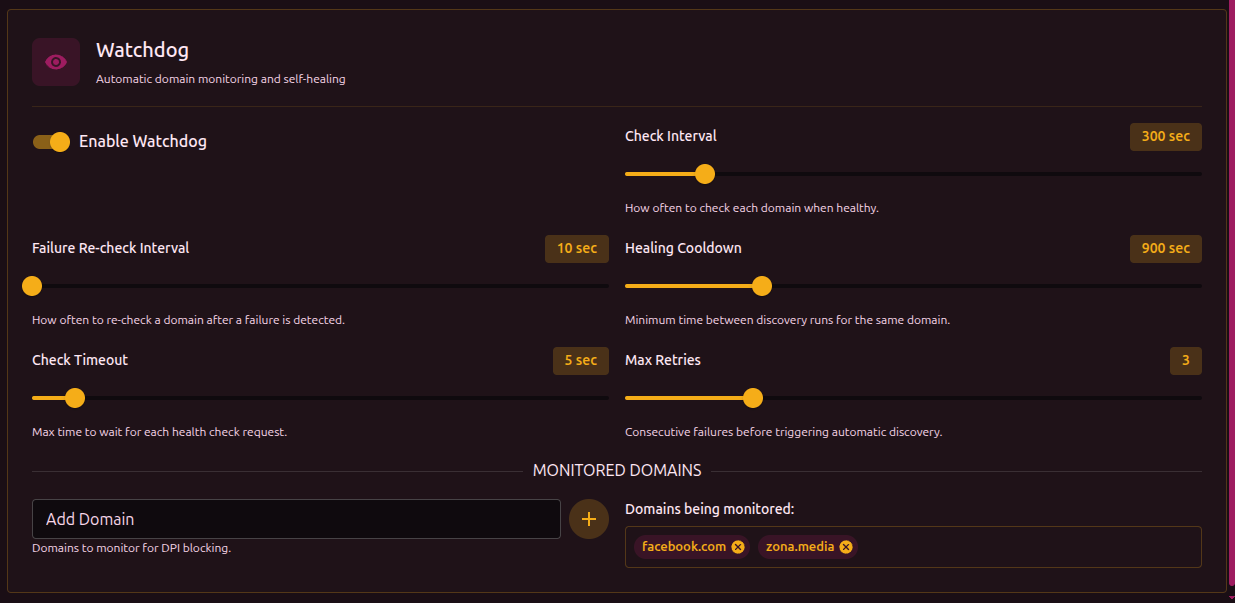
You can find its settings in Settings → Discovery → Watchdog section.
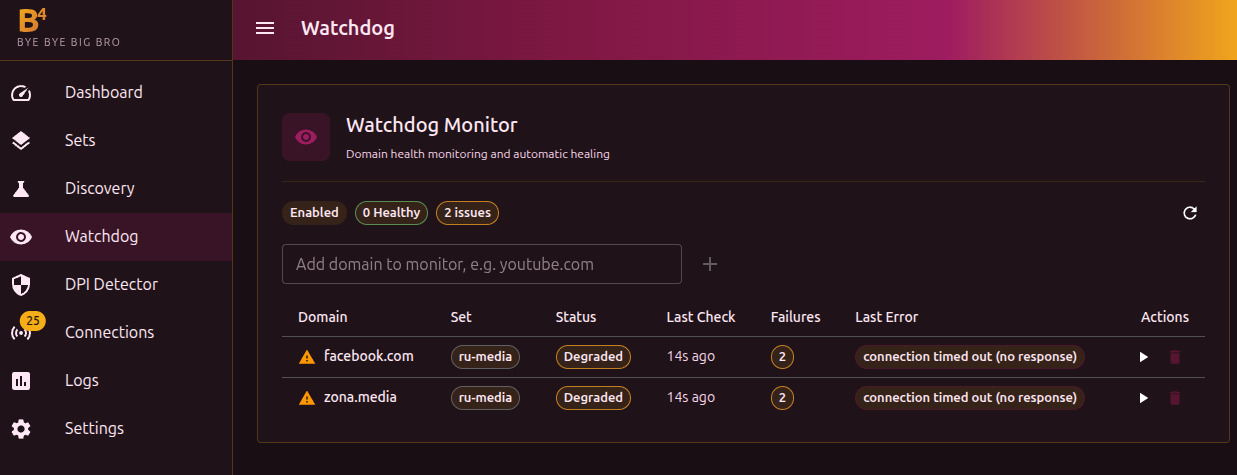
How it works
- On a set interval, the watchdog makes an HTTP request to each domain in the list
- If a domain does not respond, or a block page is detected, a failure is recorded
- After several consecutive failures (the "Max retries" parameter), the watchdog automatically runs discovery for that domain
- If discovery finds a working strategy, it is applied to a suitable existing set - and if there is none, a new set is created
Parameters
| Parameter | Description | Default |
|---|---|---|
| Check interval | How often to check domains while everything works | 300 sec (5 min) |
| Failure interval | How often to check a domain that is already in the "Degraded" state | 60 sec |
| Cooldown | Pause after a repair attempt before normal checks resume | 900 sec (15 min) |
| Timeout | Maximum time to wait for a response from a domain | 15 sec |
| Max retries | How many consecutive failures are needed to trigger auto-repair | 3 |
Domain statuses
| Status | Meaning |
|---|---|
| Healthy | The domain responds normally |
| Degraded | Failures have been recorded, but the repair threshold has not been reached yet |
| Escalating | Discovery is running to find a working configuration |
| Queued | The domain is waiting for its next check |
Which set is used for the repair
Once discovery finds a working strategy, the watchdog has to decide where to write it. An existing set is reused only when all three of the following are true:
- the set is enabled;
- the set has Routing turned off (the Routing tab);
- the domain is listed by name in that set's domain (SNI) list.
When such a set is found, the watchdog overwrites its bypass parameters (TCP, fragmentation, faking) with the ones discovery just found. In other words, a repair changes that set's bypass settings - that is the whole point: to drop in a strategy that currently gets through.
If no suitable set exists, a new set named watchdog-<domain> is created with the discovered strategy.
The watchdog never adds a monitored domain to a set that has Routing enabled (block, proxy, interface, or the Telegram bridge). A GeoSite-category match (for example the sub-domain ads.youtube.com inside category-ads-all) does not count either - only a domain listed directly in a set's domain list does. This prevents a monitored site from being mistakenly added to a blocking set and breaking.
Adding domains
There are two ways to add domains:
- From the "Domain Watchdog" panel on the dashboard - an input field with a "+" button
- From Settings → Discovery → Watchdog section
You can enter either a domain (for example youtube.com) or a full URL (for example https://youtube.com/watch?v=test). If a URL is given, the watchdog checks that exact address. If only a domain is given, it checks https://domain/.
Add domains you actually use and that may get blocked. The watchdog checks HTTP reachability specifically, so the domain must respond over HTTP/HTTPS.
If discovery is already running manually, the watchdog will not start a parallel run - it waits for the current one to finish.