Discovery
Parameters that affect the automatic configuration search and the DPI detector. Configured in Settings -> Discovery.
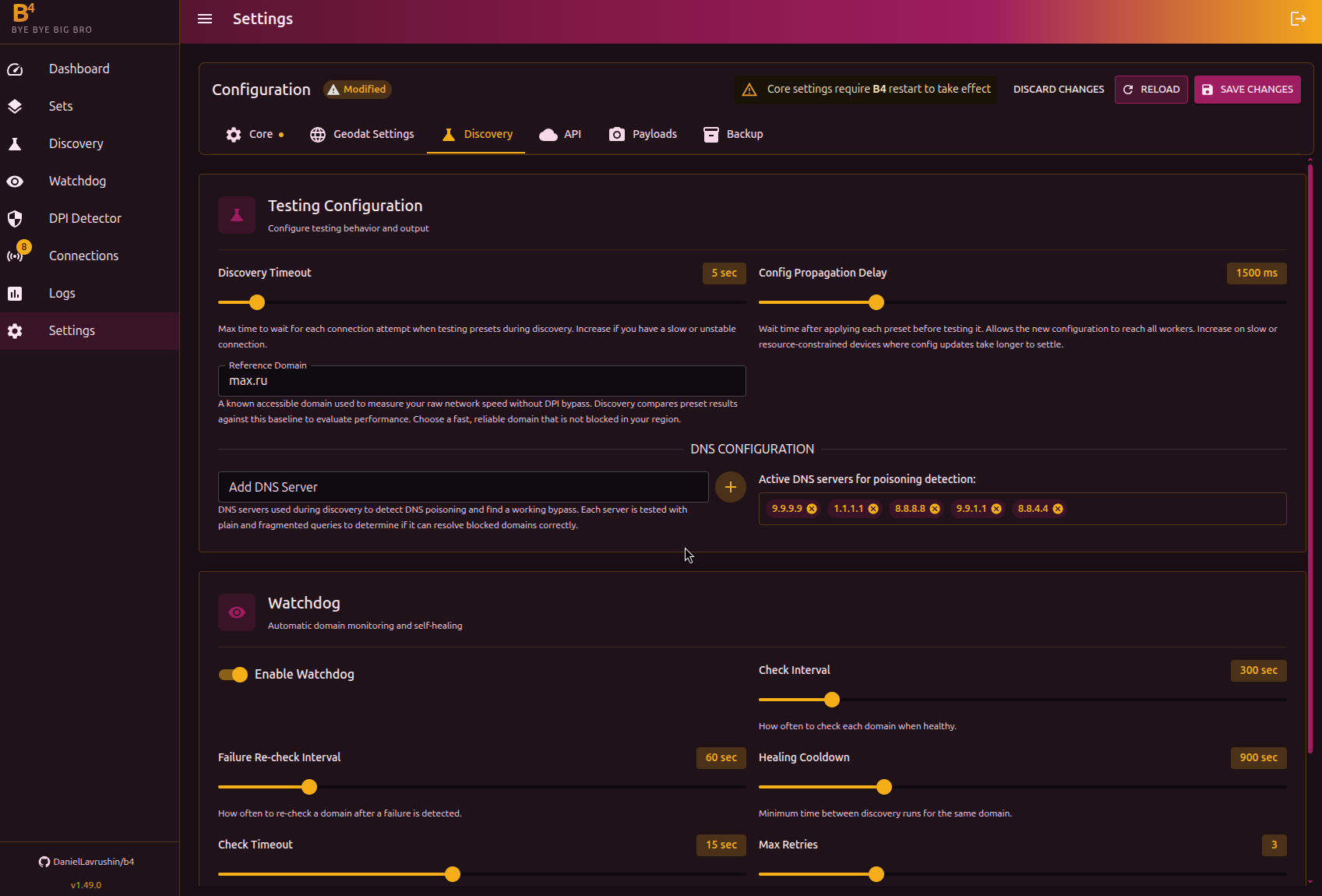
Parameters
| Parameter | Description | Range | Default |
|---|---|---|---|
| Search timeout | Maximum time to wait for a response when testing each strategy | 3-30 sec | 5 sec |
| Propagation delay | Time to wait after applying a configuration before testing. Needed so the rules have time to take effect | 500-5000 ms | 1500 ms |
| Validation attempts | How many times a strategy must succeed in a row to be considered working. Higher = more reliable, but slower | 1-5 | 1 |
| Reference domain | A domain known to be reachable - used as the control during checks | - | yandex.ru |
DNS servers
List of DNS servers used when checking for DNS-based blocking. Discovery compares responses from these servers with the provider's DNS to detect tampering.
Defaults:
| Server | Provider |
|---|---|
9.9.9.9 | Quad9 |
1.1.1.1 | Cloudflare |
8.8.8.8 | |
9.9.1.1 | Quad9 (backup) |
8.8.4.4 | Google (backup) |
Servers can be added and removed through the interface.
If the provider blocks queries to public DNS (for example, intercepts port 53 traffic), discovery may return false DNS results. In that case add DNS servers reachable in your network, or enable the Skip DNS search option when starting discovery.
The reference domain must be unblocked in your network. It is used for two things:
- Basic connectivity check - if it is unreachable, discovery results will be incorrect
- Baseline speed measurement - the reference domain's download speed is used as the reference point for comparing strategies against each other
The speed shown in discovery (for example, "40 KB/s") is not the real speed of your connection. The test downloads a very small amount of data, not enough for a precise measurement. These numbers are only useful for comparing strategies against each other - which is faster, which is slower. Do not treat the absolute values as meaningful.